10 Ways Cloud Printing Transforms Remote Workforce Productivity
Cloud-based print services are becoming the core of remote-friendly workflows, with adoption expected to reach 55% in 2025.
These systems remove barriers between distributed teams and physical papers. Staff can print securely from any device and place. IT retains control without managing every machine. Organizations cut costs and gain greater flexibility.
1. Enable True Location Independence For Printing

Remote work lets people do their jobs from anywhere, but printing used to mean standing next to a machine. Cloud printing removes that limit.
Staff can send documents from laptops or phones while traveling and pick them up later at a secure office printer. There is no need to email someone in the office to print for you.
Home offices, coworking spaces, client sites and airport lounges all become places you can print from as long as you have internet. For companies with several offices, the system sends jobs to the closest approved printer so users do not have to install new drivers or reconfigure devices.
2. Eliminate Complex IT Infrastructure And Maintenance
On-site print systems add hardware, licences, updates and daily support work. Moving printing to the cloud cuts those costs and removes the need for dedicated print servers. That saves on equipment, power, cooling and floor space.
A single universal driver replaces many vendor-specific drivers, so administrators spend less time troubleshooting. The cloud provider delivers security fixes and firmware updates automatically and can automate routine installs, freeing IT staff to focus on higher priority tasks.
3. Provide Instant Device-agnostic Access
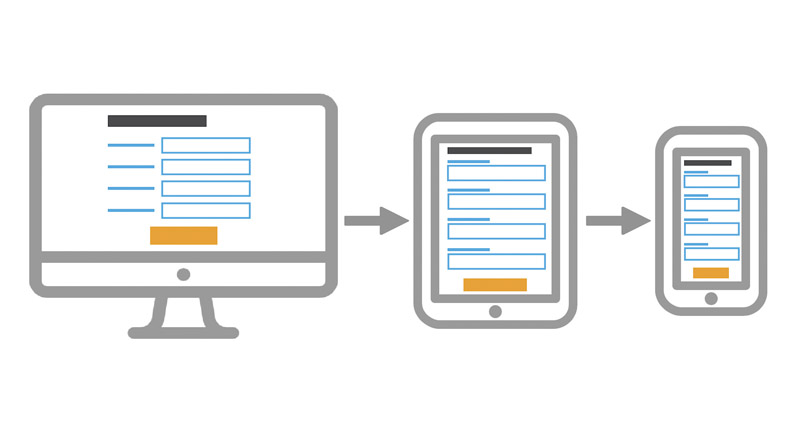
Cloud-based printing lets people find and use a printer from any internet-connected device without installing drivers. This removes the hassle of setting up printing on Windows, macOS, iOS or Android.
A single universal driver sends jobs to the cloud, so everyone gets the same experience no matter the device or operating system. This approach fits Bring Your Own Device policies, staff can use personal phones, tablets or laptops without problems or extra IT work.
Mobile users can open files stored in Google Drive, Dropbox or OneDrive and print them straight from the cloud, so there is no need to move files to a local device first.
4. Strengthen Security Beyond On-premises Capabilities
Early worries about safety are now addressed by modern cloud solutions that often beat on-site systems. Print jobs stay encrypted during transfer and while stored, and they only release at the printer after the user signs in at the device.
Encryption uses AES256-GCM and a multi-part key system that requires three separate keys to unlock a job, blocking interception or single-point breaches. Built-in logging records every print action, helping with audits and rules like GDPR.
A zero-trust model checks each endpoint and every access request, using continuous verification instead of relying on a single network perimeter.
5. Scale Easily As Your Organization Grows

Cloud printing lets you add or remove printers and users with very little IT work. You do not need to buy extra servers, upgrade hardware, or reconfigure networks when you expand. New offices, extra staff, or temporary teams connect through the cloud console and start printing fast.
Remote workers log in to the cloud service instead of linking to on-site servers, so onboarding takes minutes, not long IT tickets. Cloud platforms also explain reducing printing costs in an officeby centralizing devices, enforcing duplex and color limits, and using pay-as-you-go models.
If you need to cut back, you can reduce capacity without wasting existing equipment. Pay-as-you-go plans and subscriptions match costs to use, so you avoid large upfront purchases.
6. Central Control For Distributed Devices
A single dashboard gives IT teams one place to check printer use, supply levels, device status, access rules, and settings. This view makes it easier to track use across sites, cut waste with automatic print limits, and manage costs.
IT can see which machines are active, what kinds of jobs run, which devices need attention, and current usage at a glance. Real-time data lets teams fix problems before they grow.
Policy controls work from the same console, you can force double-sided printing to lower paper use, set role-based permissions, limit color output and apply department quotas. Those rules run automatically across all locations, improving security and consistency.
7. Reduce Total Cost Of Ownership

A cloud printing service cuts energy bills, repair costs, and expenses for ink, toner, and paper. Using central office printers lowers the cost per page compared with many separate home machines.
In February 2023, the average cost of a cyberattack for companies with more than 1,000 staff in Europe and the United States topped US$53,000. Better print security from a cloud platform can prevent breaches that would cause far greater losses than the technology itself.
Automation reduces manual admin, cuts the need for hands-on IT support, and frees technical staff for higher-value projects. Removing dedicated servers and reducing dependence on specific hardware also saves on hardware, repairs, and power.
8. Faster Deployment And Quicker Value
Providers manage platform updates in a SaaS model, removing the cost and disruption of manual upgrades and keeping improvements rolling out automatically. Small organizations benefit from a serverless approach that makes costs predictable and gives them enterprise-level features without large investments.
Self-service portalslet employees handle basic printing tasks and mobile printing lets remote workers print from phones or laptops without IT help, cutting support requests. Testing and validation move faster with centralized systems.
IT teams can monitor devices remotely, schedule upkeep, and fix problems before users notice. That proactive approach reduces downtime and keeps operations running smoothly.
9. Enhance Productivity Through Workflow Automation

ClRemote printing helps staff finish tasks faster because they can print from anywhere. Removing delays in the print process adds up to major time savings. Modern systems let employees print securely from mobile devices and different brands, with cloud access available at all times.
Location no longer limits when or where printed work gets done. Live analytics and simple dashboards show printer use and help IT fix problems quickly. Central management cuts complexity and frees IT to focus on bigger projects.
Cloud tools also let IT set the best print options for each team, which reduces repeated fixes and frustration. When print systems link with accounting, shipping, marketing and media services such as automatic tools to add captions to videos, documents are created automatically and manual data entry drops sharply.
10. Support Compliance And Audit Requirements
Audit logs and access controls help meet privacy and recordkeeping rules. Remote teams make it harder to track document handling, so encrypted print jobs and full audit trails are essential. Detailed logs record who printed what, when, where, and from which device, which supports audits.
Many standards apply, such as CIS, ISO, GDPR, CCPA, and FedRAMP. Cloud print platforms include compliance features in their core design rather than adding them later.
Regional storage options let global companies keep data in specific locations, meeting local privacy and sovereignty rules through geographic controls. Industries with strict rules like healthcare, finance, and government gain from built-in audit trails and enforced data protection across distributed systems.
FAQs About Cloud Printing Helping Remote Workforces
Are My Private Work Documents Safe With Cloud Printing?
Cloud printing is very safe. Companies use strong security methods to protect your documents from the moment you click 'print' until the paper comes out.
What If Our Internet Stops Working?
If your main internet connection goes down, you can still print locally within the office.
How Fast Can We Start Using Cloud Printing?
It's usually very fast because the core software is already built and ready to go.
What Security Rules Should A Cloud Printing System Follow?
A high-quality cloud printing solution should meet tough international security standards like ISO 27001 and SOC-2.
Will Cloud Printing Save Us Money On Printing?
Most organizations see printing costs drop by 20% to 30%.
Can I Print From My Phone Or Tablet Using Cloud Printing?
Cloud printing is designed for mobile devices, an iPhone (iOS), an Android device or a tablet.
Final Thoughts
Seventy-two percent of firms plan to increase cloud print management by 2025. Smart organizations see that cloud printing does more than produce documents, it boosts security, supports compliance, lowers costs, eases IT work and helps employees get tasks done faster.
Cloud printing updates the print setup to meet current needs and keep options open for the future. The real question is how fast you can switch and start gaining the full benefits remote teams expect.
Also Check Out: Top Printers For Architects